Troubleshooting isolation databases
If you notice the isolation database on your on-air PC doesn't match what you'd expect to see on your regular PlayoutONE server, here's how to get it back in sync so you're ready if your server was to go offline suddenly:
- On your on-air machine, open the Services applet from the Start Menu or by running
services.msc. -
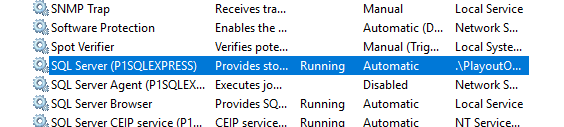
Locate PlayoutONE's SQL Server service and restart it. It will usually be called
SQL Server (P1SQLEXPRESS).
- Now, switch to your main PlayoutONE server and open Monitor.
-
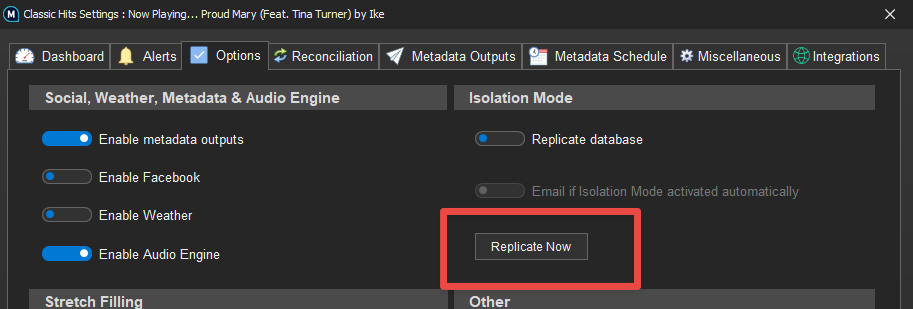
Go to Station Settings for the station you want to replicate a database for, go to the Options tab, enable "Replicate database" and click Replicate Now:
The replication process will take some time to create a copy of your server's PlayoutONE database on your on-air PC.